iT邦幫忙

2026 iThome 鐵人賽

DAY 13
0
ChatGPT & Codex

使用ChatGPT&Codex做出APP系列 第 13 篇

Day13|從 0 想法到使用 ChatGPT&Codex 開發App 30 天挑戰 : 放棄 Spotify 登入改用上傳連結

  • 分享至 

  • xImage
  •  

上次失敗是因為我沒有註冊 apple 的開發者,我照著CgatGPT的指示再終端輸入了指令,也登入了 Apple 帳號,

npx eas-cli@latest build --platform ios --profile development

但我依舊失敗
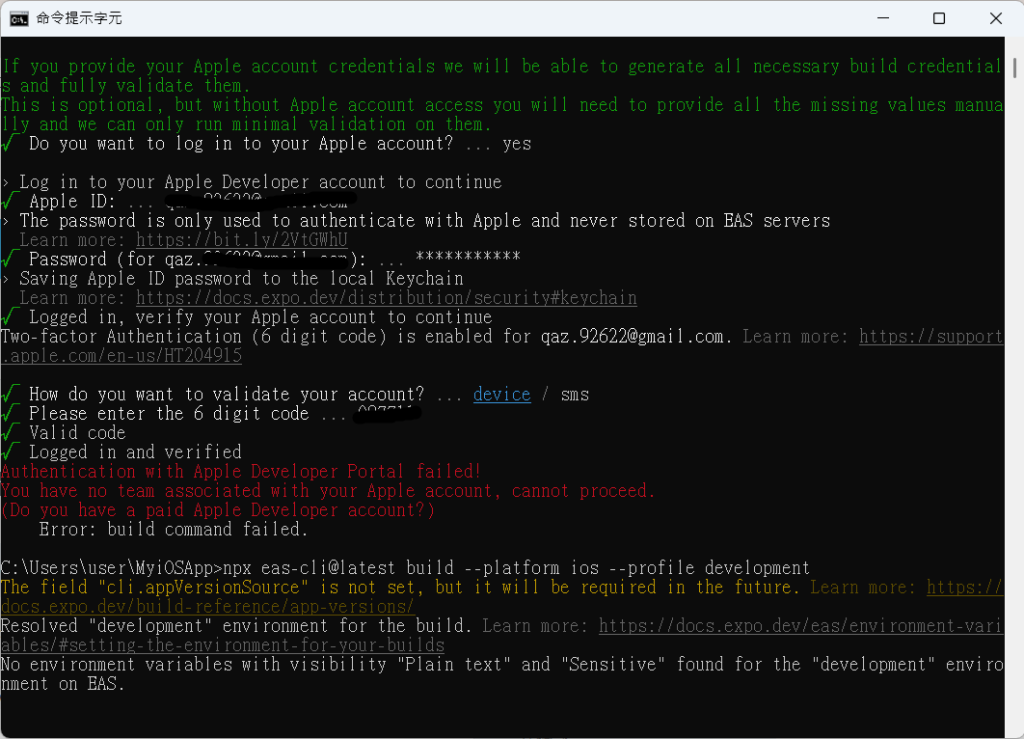
https://ithelp.ithome.com.tw/upload/images/20261011/20184304JlSDBvKPt3.png
我也下載了Apple Developer ,打開 App 發現我有註冊到但我還沒有加入團隊, App 端不能申請我就開啟網頁,但申請完一樣失敗。
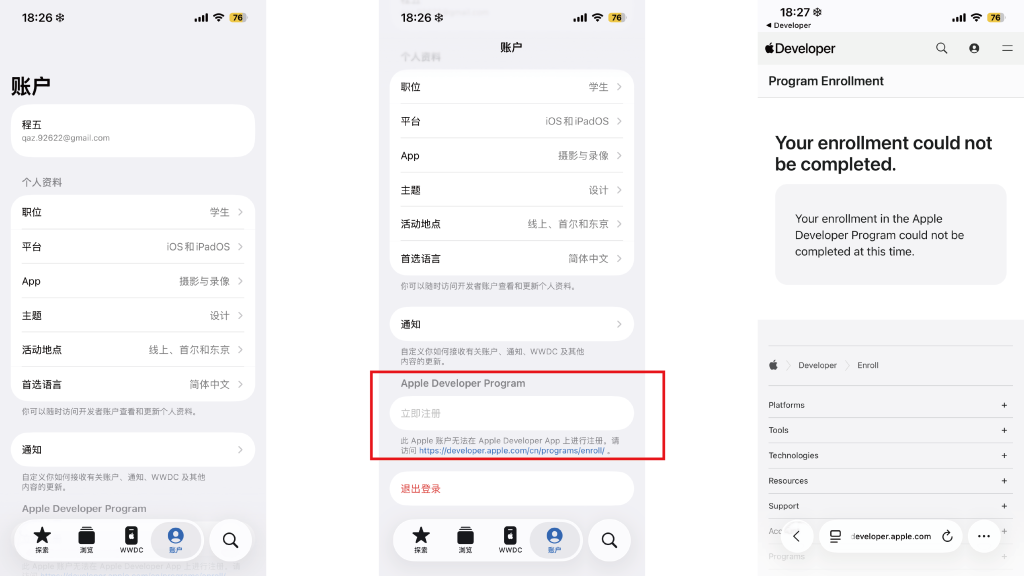
https://ithelp.ithome.com.tw/upload/images/20261011/20184304CIz2pcMniJ.png
因為我用免費版, ChatGPT 說 Windows 不能這樣子, Sptify 的登入 ExpoGo 也不推薦這樣子,只好等方便使用 Mac 的時候使用這個功能了。
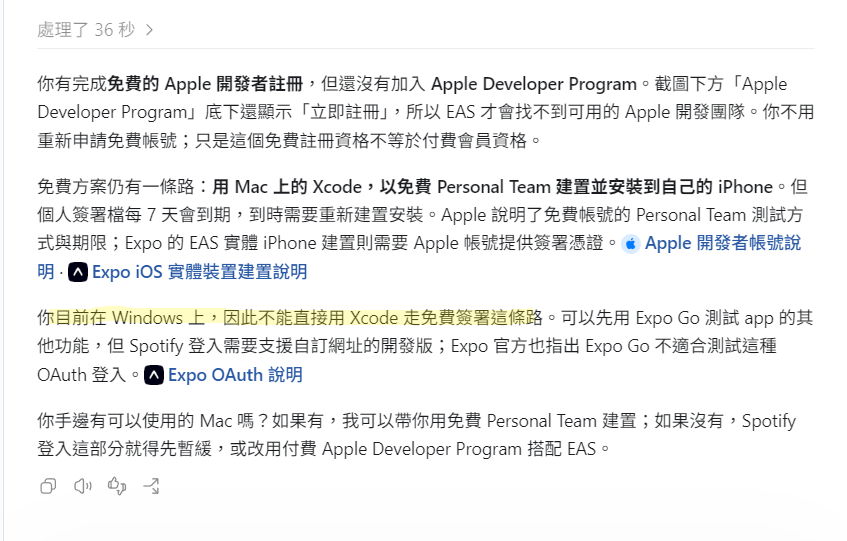
https://ithelp.ithome.com.tw/upload/images/20261011/20184304v7haawqgUl.png
但剛剛看了方案,用免費版只能7天,我覺得我先放棄這個功能,先維持讓用戶自己貼連結上傳音樂到收藏區。
一開始建立這個也只是想讓用戶平常如果有發現適合的音樂可以先暫存在某個區域,發文的時候就可以拿來參考,目的還是想讓大家節省時間。

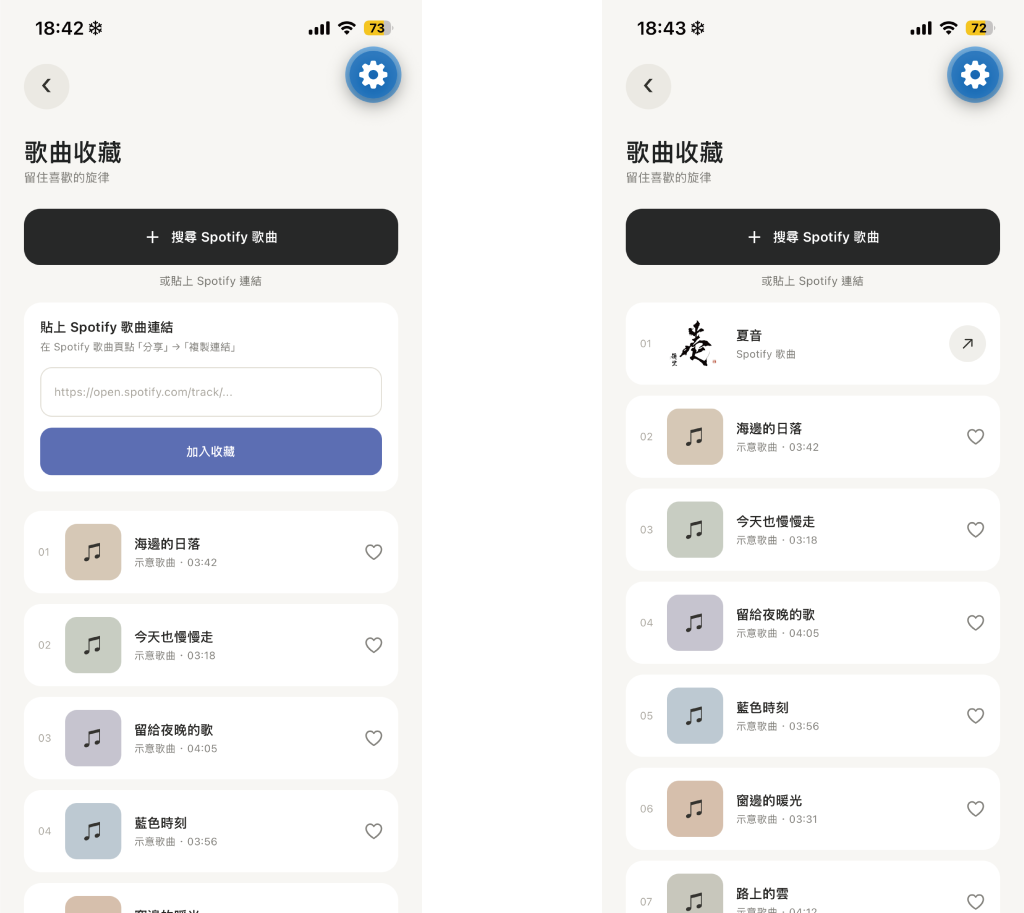
這樣子又要叫他幫我變回原本的樣子了,之前上傳的示意圖都要再上傳一次哈哈

連結 Spotify 的頁面都打不開
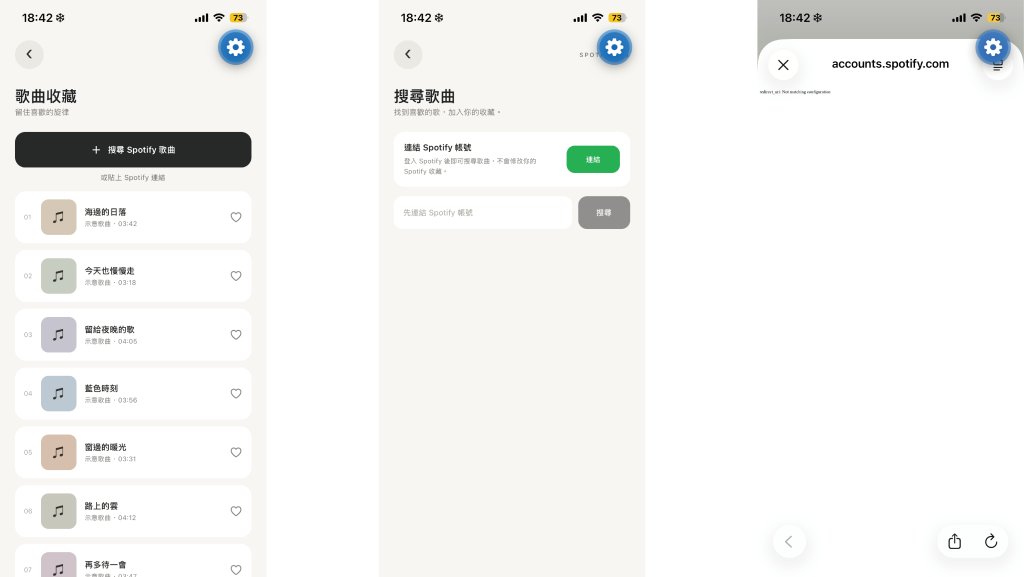
https://ithelp.ithome.com.tw/upload/images/20261011/20184304ITiQdfeFAJ.png
可以成功上傳,點擊也會連結到 Spotify 播放
https://ithelp.ithome.com.tw/upload/images/20261011/20184304BrAIUoiZa2.png

還有最一開始先跳過的編輯照片的區域,弄完後就可以來優化了!


上一篇
Day 12|從 0 想法到使用 ChatGPT&Codex 開發App 30 天挑戰 : 音樂收藏頁面連結 Spotify
下一篇
Day14|從 0 想法到使用 ChatGPT&Codex 開發App 30 天挑戰 : 編輯照片頁面
系列文
使用ChatGPT&Codex做出APP 共 30 篇
圖片
  熱門推薦
圖片
{{ item.channelVendor }} | {{ item.webinarstarted }} |
{{ formatDate(item.duration) }}
直播中

尚未有邦友留言

立即登入留言